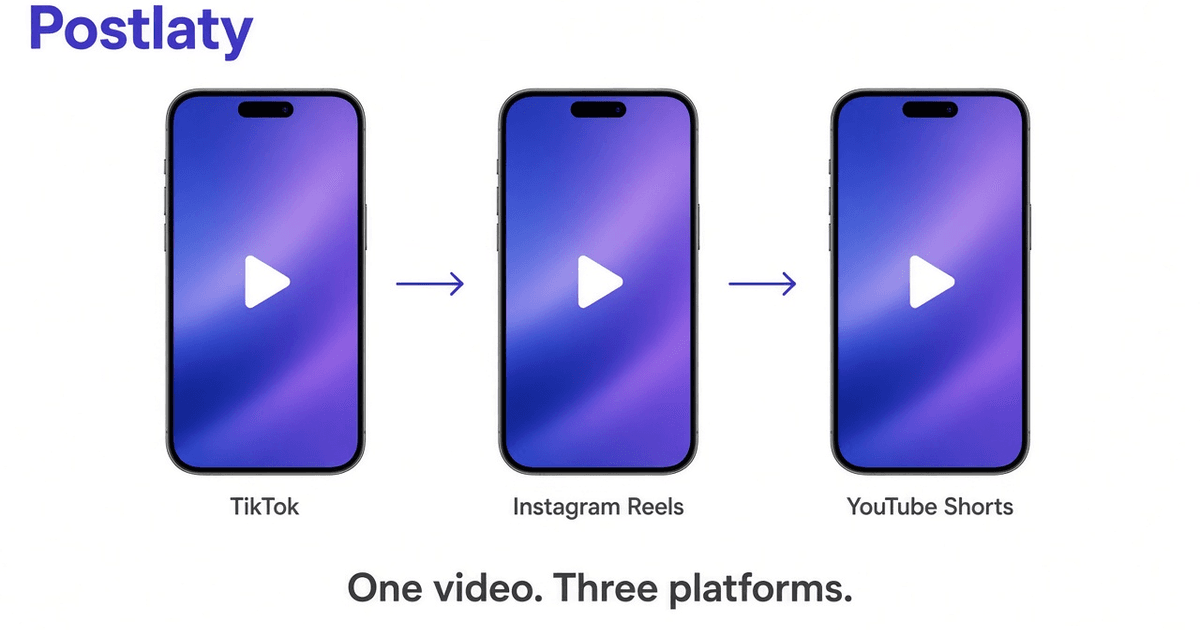
How to post the same short video to TikTok, Instagram Reels, and YouTube Shorts
You do not need three editors to put one clip on TikTok, Instagram Reels, and YouTube Shorts. You need one vertical file, three captions, and a cover that still reads after the app draws its own buttons on top.
This guide is the practical version. It covers the shared 9:16 spec, where text gets covered, what to change per network, and a publish path that uploads the video once. If you already generate the clip in Postlaty, the last section is the click path. If you still export from CapCut, the same rules apply.
Why one 9:16 file is enough
TikTok, Reels, and Shorts all prefer a full-screen phone video. That is 9:16, usually 1080x1920. A landscape 16:9 export is the most common reason people recrop. The apps will either add black bars or punch in on the center, and both look like a mistake.
Generate or shoot vertical from the first frame. If you use an AI model, set the aspect to 9:16 before you prompt, not after. Cropping a 16:9 generation throws away the sides you already paid to render, and it often cuts hands, product labels, or the subject's head.
Identical pixels on three apps is not a ranking penalty. These are separate products with separate inventories. What does get you throttled is a watermark from another app, especially posting a TikTok export (with the TikTok logo) onto Reels or Shorts. Export a clean file with no platform chrome.
Sizes, length, and safe zones
Use 1080x1920, H.264, AAC audio, and a frame rate of 30. That combination plays on all three apps without a transcode surprise. 4K vertical works on some accounts and is overkill for most feeds. 720x1280 is acceptable if the generation model is faster at that size.
Length is where the products diverge, so pick the overlap. Under 60 seconds is the shared sweet spot that still qualifies as a Reel and a Short and sits in the default TikTok range. You can go longer on each app, but a 15 to 45 second clip is what most accounts actually finish.
Safe zone matters more than resolution. TikTok, Instagram, and YouTube all draw username, caption, like counts, and a progress bar over the bottom and right edge. Keep faces, product shots, and on-screen text in the center 80 percent. A title stuck in the bottom fifth will be covered on at least one app, sometimes all three.
Covers (the frame that shows before play, or in a grid) should be a real frame from the video, not a separate 1:1 graphic. Instagram still uses a square crop in some profile grids. If the hook is a face, place it near the vertical center so a square crop does not cut it off.
Captions, covers, and native text
Reuse the video. Rewrite the text. The first line of a TikTok caption is a search string. People type problems into TikTok the way they type them into Google. Say the thing the video is about in spoken language: how to schedule a Reel and a Short from one file, not "new video drop!!"
Instagram Reels still reward a first line that works with sound off. Put the promise in burned-in captions or a large title in the first second, then keep the Instagram caption shorter than TikTok. Hashtags help less than they did. Three specific ones beat twenty generic ones.
YouTube Shorts wants a title. That is extra work and extra ranking surface. Use a full sentence in the Shorts title, then a longer description with the same keywords. Shorts can also feed the long-form YouTube search index in a way Reels never will, so do not skip the title field because TikTok does not have one.
Burned-in captions (words on the video itself) should be high contrast and inside the safe zone. Auto captions from the app are a backup, not a replacement, because each app styles them differently and they can sit on top of your own title.
A publish workflow that does not recrop
The slow version is: export from an editor, upload to TikTok, download the result, notice the watermark, re-export, upload to Instagram, then open YouTube Studio and do it a third time. That is three compression passes and two chances to post the wrong file.
The fast version is one upload.
- Generate or upload a 9:16 clip. In Postlaty that is the AI tab or a local file. Keep the master without logos.
- Pick TikTok, Instagram, and YouTube as destinations in the same composer. Do not post from TikTok's "share to other apps" sheet. That sheet is how watermarks travel.
- Write three captions. Paste a Shorts title. Set one cover frame.
- Schedule one time or publish now. The same bytes go to each API. You are not downloading an intermediary MP4 between apps.
If you are not on Postlaty, the same rule holds: use a scheduler that talks to each platform API, or upload the original file three times from a folder. Never redistribute an app's own download.
Timing: you can post all three at once. You can also stagger by an hour if you want each audience to feel native. There is no ranking bonus for waiting a day unless you are testing thumbnails. For a founder publishing one clip, one timestamp is enough.
Starter on Postlaty is $29/month for 2 accounts, with a 7-day trial. If you only needed a queue, Buffer is cheaper. If you also generate the video, one tool usually beats a generator plus a scheduler. See pricing.
Audio, music, and posting with the sound off
Short video dies in two ways: no hook in the first second, and music that one app strips. If the clip depends on a trending audio from TikTok's library, that audio often will not travel to Reels or Shorts with the file. Use original voice, original music you have rights to, or a track you added in your editor before export. Then the same file is legal and audible everywhere.
Assume a large share of Instagram watches with sound off. If the joke is only in the voiceover, burn in captions. TikTok viewers more often have sound on, but the caption still helps search. YouTube Shorts sits in between. One master with burned-in captions covers all three. Do not rely on each app to auto-caption the same way.
Keep voiceover 3 to 6 dB louder than music. AI video models sometimes emit a bed of noise. If the generation is unusable as audio, mute it and add a voice track in the editor, still as 9:16, still one export. You are not making three videos. You are making one video that can survive mute.
When to post, and whether to stagger
There is no universal best hour. There is a best hour for your audience, which you only learn after a few weeks of the same format. Until you have that, pick a time you can repeat. Consistency beats a spreadsheet of "optimal send times" copied from a blog post about a different niche.
Staggering the three posts by 30 to 90 minutes is optional. It can help if you reply to comments and do not want three notification storms at once. It does not help ranking. Cross-posting the same day is normal. Waiting a week to post the Reel after TikTok, so that Instagram "thinks it is original," is folklore. Instagram cares about watermarks and native behavior, not about whether TikTok saw the pixels first.
Batch on one weekday: generate or edit five 9:16 clips, write 15 captions (five times three networks), schedule the week. That is the actual time saver. Recropping each clip for each app is how an hour of publishing becomes an afternoon.
If an account is new, post more often than you think for two weeks, then keep the winners' format. The workflow above does not change when you scale from three posts a week to twelve. The file spec does not change. Only the calendar fills up.
Mistakes that waste the extra exports
- Starting in 16:9 because the model defaulted to it. Change the aspect before you generate.
- Putting the hook in the bottom 200 pixels. UI chrome will cover it.
- Posting a TikTok watermark onto Reels. Instagram has been explicit about this. Export clean.
- One caption pasted three times, including TikTok-only slang on LinkedIn if you later add that destination. Per-network text is the cheap part.
- Rechecking the file on your laptop in landscape. Preview on a phone or a 9:16 frame.
If the video is the same and the text is specific, you are done. The rest is consistency: post the next one the same way instead of inventing a new pipeline every Monday.
Frequently asked questions
Can I use the same video file on TikTok, Instagram Reels, and YouTube Shorts?
Yes, if it is vertical 9:16, under about 60 seconds for the shared sweet spot, and the important action stays inside the center safe zone. Export once, then write a caption per network.
What resolution should a short video be?
1080x1920 is the standard. 720x1280 still works. 16:9 landscape will letterbox or crop on all three apps, so shoot or generate vertical from the start.
Do I need a different caption for each platform?
The file can be identical. The caption should not. TikTok wants searchable spoken-style text, Reels often wants a first line that works without sound, Shorts can carry a longer description and a title.
How do I schedule all three at once?
Connect TikTok, Instagram, and YouTube in a scheduler that accepts one video upload, then set three captions and one time. Postlaty does that from a single composer after you generate or upload the clip.
Will cross-posting get the video banned as duplicate content?
The three apps do not share a ranking index the way websites do. Identical pixels on TikTok, Reels, and Shorts are normal. Watermarks from another app, especially the TikTok watermark on Reels, are what gets punished.
Generate the clip, then publish it three times
7-day free trial. TikTok, Instagram, YouTube, X, LinkedIn, and Facebook from one composer.
Start free trial