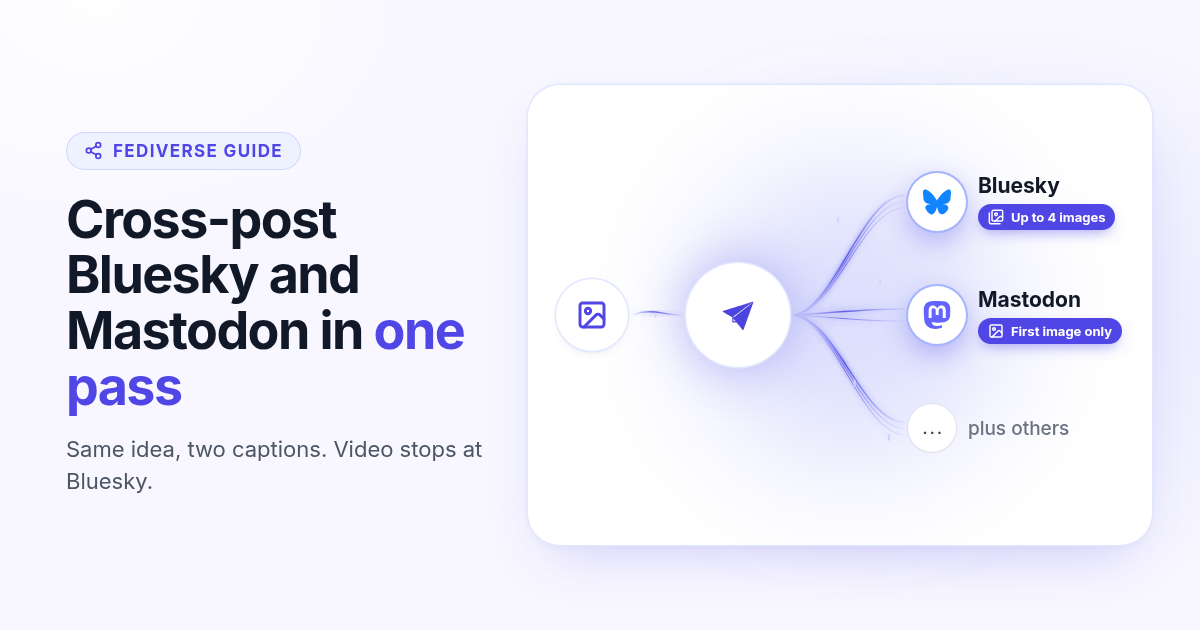
Bluesky and Mastodon both reward short writing and a clear still. What they do not share is a calendar. You write the same idea twice, paste it into two apps, then remember which one got the photo. Buffer and similar tools can cover both, but the useful job for a founder is simpler: one composer, two captions, one image that actually publishes on each side, and a clock that fires while you are offline.
This guide shows how to cross-post to Bluesky and Mastodon with Postlaty. You connect Bluesky with a handle and app password, connect any Mastodon server with an access token, then schedule both from the same Create flow. It also states where video fails: Bluesky can take a video; Mastodon in Postlaty takes the first image and skips video. Plan the still first, and you will not get a half-published pair.
If you already live in one of the two apps, start by connecting the other. The win shows up on week two: a queue of paired posts, each with a still that actually published, and no more “I forgot Mastodon again” messages in your own notes.
Why cross-post Bluesky and Mastodon from one queue
The audiences overlap, but they are not identical. Bluesky is a single AT Protocol network with a 300-character feel. Mastodon is many servers federated together, with a longer default limit (500 characters in Postlaty’s composer). People who left X often land on both. Writing the idea once and pasting it twice wastes the morning when you also ship product.
Same idea, two homes
One announcement, launch note, or thread starter can live on both timelines if the caption fits each culture.
One calendar
Native apps publish now. A shared queue lets you batch a week of Fediverse posts next to Instagram or LinkedIn.
Media rules differ
Bluesky accepts up to four images or a video. Mastodon in Postlaty publishes the first image and does not send video.
Captions are not clones
Keep the hook. Trim Bluesky harder. Mastodon can hold a slightly longer note or a hashtag cluster.
Roundup posts that list five “Bluesky Mastodon schedulers” rarely explain the media split. That split is the part that breaks cross-posts in practice. Get it right before you care which tool wins a comparison table.
Founders who treat Bluesky and Mastodon as “the same post twice” usually burn an hour on tiny differences: character limits, whether the still uploaded, which server they are on, and whether a clip belongs there at all. A single queue does not remove judgment. It removes the double login, the double upload, and the sticky note that said “also Mastodon at 9.”
What you need before you connect
A Bluesky handle and app password
Create the app password under Settings → Privacy and security → App passwords. Use the xxxx-xxxx-xxxx-xxxx value, not your login password.
A Mastodon instance URL and access token
Any public server works. Create an application under Preferences → Development, then copy “Your access token” from the app detail page.
A still you are happy to reuse
If both posts should carry media, start with a photo. A Bluesky-only video will leave Mastodon as text.
A Postlaty account
Each Bluesky or Mastodon connection counts as one channel toward your plan.
Connect Bluesky and Mastodon
Both connections use credentials you create on each network. Postlaty never needs your Bluesky login password or your Mastodon password.
Bluesky
- 1
Create an app password
In Bluesky open Settings → Privacy and security → App passwords, then create one. Copy the xxxx-xxxx-xxxx-xxxx string.
- 2
Add Bluesky in Postlaty
Open Create, add a channel, choose Bluesky. Paste your handle without
@(typingyoubecomesyou.bsky.social) and the app password, then save.
Mastodon
- 1
Create an application on your instance
On your server open Preferences → Development → New application. Set website to
https://www.postlaty.com. Redirect URI must beurn:ietf:wg:oauth:2.0:oob. Tick write:statuses, read:statuses, and read:notifications, then save. - 2
Copy the access token
Click the app name in the list (the token is not on the list page). Copy “Your access token”, not the client key or client secret. If that line is missing, regenerate the access token.
- 3
Add Mastodon in Postlaty
Paste the instance URL (for example
https://mastodon.social) and the access token, then save. Self-hosted instances work the same way.
Full connection notes live on the Bluesky channel page and the Mastodon channel page.
Two Mastodon accounts on different servers? Connect each one as its own channel with that server’s URL and token. The same goes for a second Bluesky handle. Postlaty does not merge timelines; it publishes to the accounts you select on each schedule item.
If Bluesky login fails, regenerate the app password and paste the new one. If Mastodon returns an unauthorized error, open the application again and confirm you copied “Your access token” after clicking the app name, not the client key from the list view.
Where video fails (and what to attach instead)
This is the rule that saves a wasted schedule. When Postlaty publishes:
Bluesky images
Up to four stills go out as a native image embed. Extra files beyond four are not sent.
Bluesky video
If the media list includes a video, Postlaty uploads that video for Bluesky (native video embed). Prefer one clip when video is the point.
Mastodon image
Postlaty uploads the first image file with your status. Further images in the composer are not attached today.
Mastodon video
Video is not supported on the Mastodon publish path. If the first file is a video, Mastodon gets the text only.
Practical default for a true cross-post: attach one strong still (or up to four if Bluesky should show a small set), write two captions, schedule both. If you need a Bluesky video essay, schedule Mastodon as a text pointer with a link, or skip Mastodon for that item. Do not assume a Bluesky video also lands as Mastodon video.
Mixed media in one composer is easy to misread. If you attach a video and three images, Bluesky will prefer the video path. Mastodon will still skip video. For a clean pair, either attach only stills, or accept that Mastodon is text for that slot. Do not bury a required still behind a clip and hope both networks guess correctly.
Schedule the same idea to both networks
- 1
Open Create and select both channels
Pick your Bluesky account and your Mastodon account together. Add Pixelfed, LinkedIn, or X if the same news should go wider.
- 2
Attach the still first
Upload the photo before you polish captions. Confirm the first file is an image if Mastodon should carry media.
- 3
Write two captions
Keep Bluesky under 300 characters. Mastodon can use more of the 500-character room for context or tags. Same hook, different length.
- 4
Pick one time (or stagger)
Choose a date and time, then click Schedule. Same minute is fine for news. Stagger by an hour if you want replies on one network before the other wakes up.
Prefer agents or scripts? After both accounts are connected, the Postlaty API and MCP can queue the same destinations. Tokens stay in Postlaty; the agent never sees your app password or Mastodon token.
When the news is time-sensitive (a launch, a pricing change, a hiring post), schedule both for the same minute so neither timeline looks late. When the note is evergreen (a tip, a before and after still, a short essay pointer), stagger Mastodon by thirty to sixty minutes. That gives Bluesky replies a head start without making Mastodon feel like an afterthought.
If you also post the still to Pixelfed, keep Pixelfed photo-first and reuse the same file. The caption can stay shorter on Pixelfed because the image carries more weight. Bluesky and Mastodon still need the written hook even when the still is strong.
Write captions that fit each timeline
Cross-posting fails when the caption is a dump of Instagram hashtags or a LinkedIn essay. Treat each network as a short public note with a job: announce, teach, or point somewhere.
Bluesky
Lead with the news in the first line. One link is enough. Skip long hashtag walls; the 300-character limit punishes padding.
Mastodon
You have a bit more room. A short context sentence plus two or three topical tags can help discovery on your instance.
The still
Make the image readable at phone width. Screenshots need a crop; product UI needs contrast. Alt text belongs in the caption when the image carries the point.
Reuse with edits
Copy the Bluesky draft into Mastodon, then expand. Or write Mastodon first and cut down for Bluesky. Never ship identical walls of tags.
Replies after the post goes live
Scheduling gets the note out. Conversation still happens on each network. Postlaty can pull Bluesky replies, mentions, and chat into Inbox, and Mastodon replies and mentions into Comments and Mentions. Mastodon DMs are not part of that path. Answer from Inbox when you want one place to clear the morning, then jump into the native app for longer threads.
A practical morning loop: open Inbox, clear Bluesky mentions first (they move fast), then Mastodon replies on your home server. If a thread needs a long answer, reply natively so you keep formatting and quote tools. Use Postlaty when you want the alert and a short answer in one place next to your other networks.
Analytics stay light compared with Instagram or TikTok. Expect engagement signals such as likes, replies, and reposts or boosts rather than a full view-count story. Treat the Fediverse calendar as a writing habit with distribution, not as a vanity dashboard.
Good to know
Bluesky connects with a handle and app password, not your login password.
Mastodon connects with any instance URL plus an access token from Preferences → Development.
Bluesky can publish text, up to four images, or a video.
Mastodon publishes text plus the first image. Video is not sent.
Composer limits: 300 characters on Bluesky, 500 on Mastodon.
Inbox covers Bluesky replies, mentions, and chat; Mastodon replies and mentions. No Mastodon DMs.
Browse every network on all channels. If you also schedule photo-first Pixelfed posts, read how to schedule Pixelfed posts. For short video on TikTok, Reels, and Shorts, use the one 9:16 file guide.
FAQ
Frequently Asked Questions
Yes. Connect both accounts in Postlaty, select them together in Create, write a caption for each, attach a still if you want media on both, and schedule one time (or stagger).
Create an app password in Bluesky under Settings → Privacy and security → App passwords. Paste your handle (no @) and that app password into Postlaty. Do not use your login password.
On your instance open Preferences → Development → New application, set the redirect URI to urn:ietf:wg:oauth:2.0:oob, tick write:statuses, read:statuses, and read:notifications, then copy Your access token from the app detail page. Paste the instance URL and that token into Postlaty.
Not through Postlaty today. Bluesky can take a video. Mastodon publishes the first image and skips video, so a video-first schedule leaves Mastodon as text only. Use a still when both networks should carry media.
Bluesky accepts up to four images. Mastodon gets the first image only. Extra files beyond those limits are not attached.
Postlaty’s composer uses 300 characters for Bluesky and 500 for Mastodon. Keep the Bluesky caption tighter and expand on Mastodon if you need context.
Blog
More articles
How to schedule Telegram channel posts as yourself (not as a bot)
Native Telegram schedule works for one message. Most tools post as a BotFather bot. Here is how to connect with your phone, pick a chat, and schedule posts as yourself with Postlaty.
How to schedule Pixelfed posts (a photo is required)
Pixelfed is photo-first and has no real content calendar. Here is how to connect any server with an access token, attach a photo, and schedule posts ahead with Postlaty.
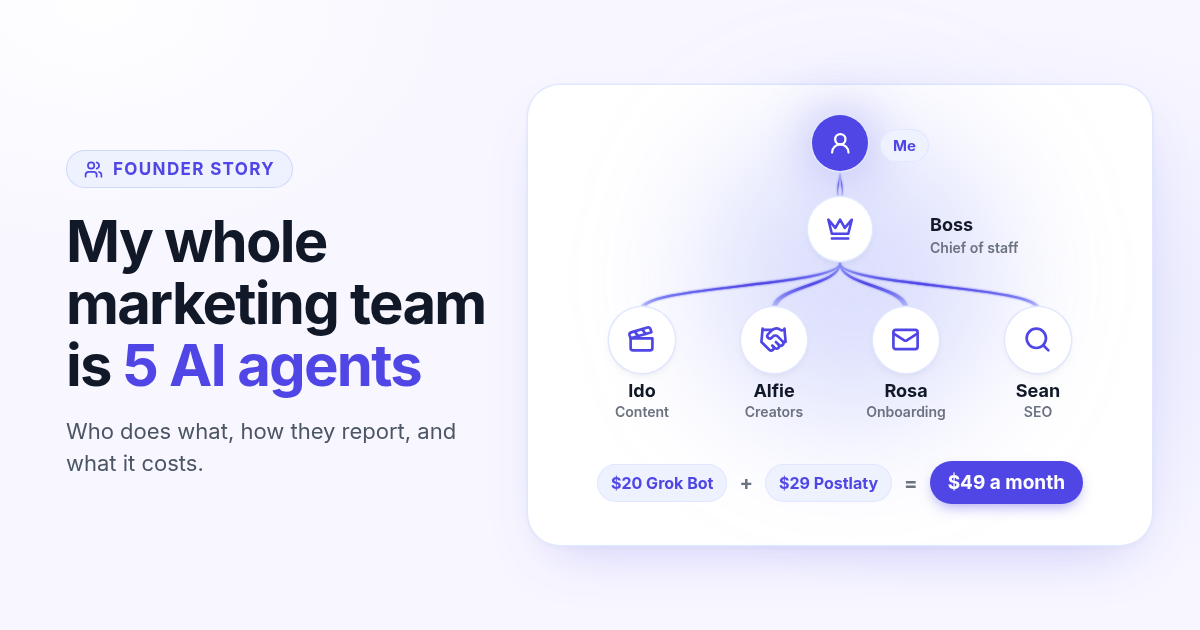
How I run my whole marketing team with AI agents for $49 a month
I am a solo founder. My marketing team is five AI agents that post, reach out, email, and write, then report to me daily. Here is who does what and what it costs.
How to schedule Whop posts to your community forum
Whop forums publish when you press Post. Here is how to schedule Whop posts ahead with a company API key, what to write, and how replies reach your inbox.
How to post the same short video to TikTok, Instagram Reels, and YouTube Shorts
One 9:16 file can feed TikTok, Reels, and Shorts. This guide covers aspect ratio, captions, covers, and a publish path that does not recrop three times.