A Whop community lives or dies on rhythm. Members pay to be there, and the fastest way to make them feel the price is a forum that goes quiet for a week because you were busy shipping, traveling, or running the business that pays for the community.
The fix is boring: write the week's posts in one sitting and let them go out on schedule. This guide shows how to do that for a Whop forum with Postlaty, using a Whop API key you create yourself. No password sharing, no browser extension. It also covers what to write, how replies come back, and the few things to know before you start.
Why Whop posts need a scheduler
Whop builds a community out of apps. A Forums app gives you Reddit-style threads, a Chat app gives you a live room, and the Announcements app is a forum set up for admin updates. Each one is its own space inside your whop, with its own settings for who can post and who can comment.
The composer in those apps is built for right now. You write a title and a body, attach what you need, and press Post. Whop's own guides for Forums and Announcements do not show a schedule-for-later option, so if you want a Monday kickoff at 8 a.m. Eastern while you are asleep in another time zone, you either set an alarm or use a tool that publishes through Whop's API.
A scheduler also solves the second problem: Whop is rarely your only channel. The same launch usually needs an X post, a LinkedIn update, and a Discord ping. Writing all of them in one place, on one calendar, is how small teams stay consistent.
What you need before you connect
- Admin access to the Whop company. You create the key from the company's developer settings, so you need to be an owner or admin there.
- At least one forum in your community. Postlaty posts into an existing Whop experience. If your whop has no Forums app yet, add one in Whop first.
- A Postlaty account. A Whop connection counts as one channel toward your plan, like any other network.
Connect Whop with a company API key
Postlaty connects to Whop with an API key from Whop's developer settings, the same kind of key Whop documents for building on its public API. The steps below are the ones Postlaty shows in the connect window.
- In Whop, open Developer and go to your company's API keys (labelled Company API keys; newer Whop screens call them Account API keys). Click Create API key.
- Give the key the Admin role (Inherit Admin), name it something you will recognize later, like "Postlaty", and copy it. Whop keys start with
apik_. - In Postlaty, open Create, add a channel, and choose Whop. Paste the key into the Company API key field.
- Postlaty lists the forums and chats in your Community. Pick the forum this connection should post to. If there is only one option, it is selected for you.
- Save. Whop now shows up in the channel picker next to your other accounts.
If the list comes back empty, the key usually is missing the Admin role, or the whop has no forum or chat yet. Fix either in Whop and paste the key again. If Postlaty says the key was rejected, create a fresh one and check that you copied the whole string.
Treat the key like a password. Postlaty stores it with your connection and uses it to list your experiences, publish your posts, and read replies. To cut access, delete the key in Whop and the connection stops working.
Schedule your first Whop post
- Open Create and select Whop in the channel picker. Add X, LinkedIn, Discord, or anything else that should carry the same news.
- Write the post. Whop takes up to 10,000 characters, which is plenty for a weekly recap or a lesson summary.
- Pick a date and time, then click Schedule. The post appears on your Calendar, where you can see the whole week at a glance.
- At the scheduled time, Postlaty publishes it to the forum you connected, where it shows up as a new thread.
Prefer to automate? The same connection works through the Postlaty API and AI agents, so a script or an assistant can queue Whop posts for you.
Write posts members actually open
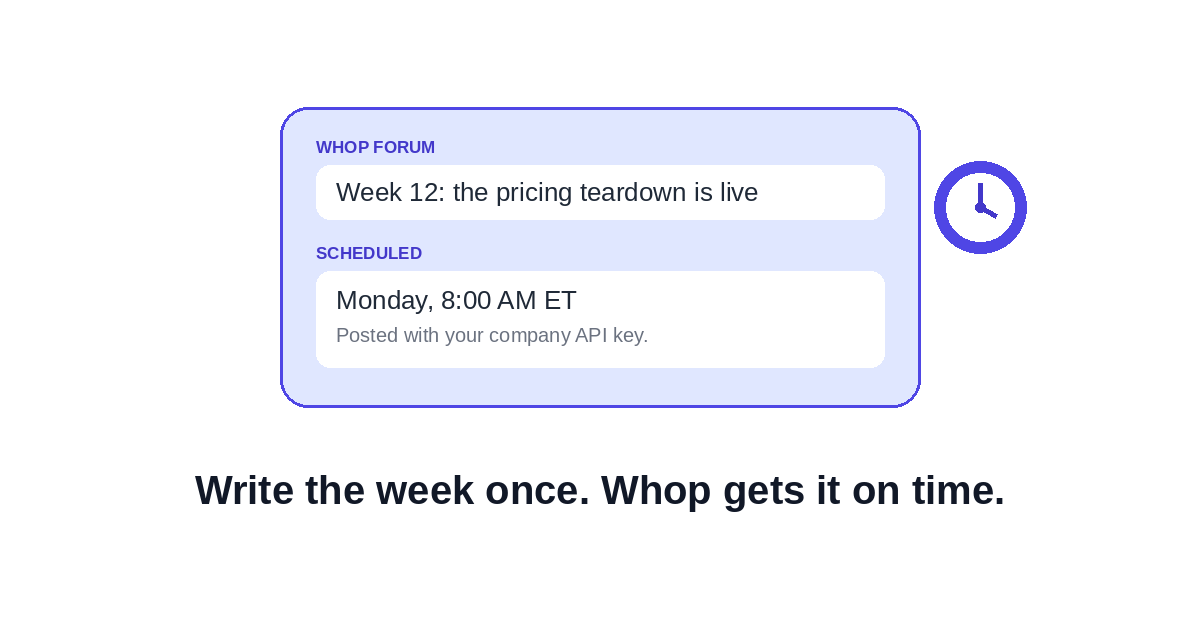
Whop shows a title above every forum thread. Postlaty fills it from the start of your text, so make the opening line a headline: short, specific, and under about 80 characters. "Week 12: the pricing teardown is live" beats "Hey everyone!"
A simple weekly cadence that works for most paid communities:
- Monday kickoff. One goal for the week, one question members should answer in the comments.
- Midweek value post. A checklist, a teardown, or a short lesson. This is the post that justifies the membership.
- Friday wins thread. Ask members to post what they shipped. It fills the forum with their content instead of yours.
- Event reminders. Schedule one the day before and one an hour before any live call. People forget, and nobody minds a reminder.
Keep the Whop version written for members. The public X or LinkedIn post can tease the lesson; the forum post should deliver it. That difference is part of what people pay for.
Answer comments from the Postlaty Inbox
Scheduling is half the job. The other half is showing up when members reply. Postlaty syncs comments from your connected Whop experience into the Inbox when Whop's API returns them, next to your other channels. You can reply from there, and the answer goes back into Whop through your connection.
One daily pass through the Inbox is usually enough for a small community. Reply to every first-time poster; it is the cheapest retention tactic you have.
Good to know
- Whop posts from Postlaty are text only. Add images, polls, or paywalls in Whop.
- Each connection posts to the one experience you picked when connecting.
- The thread title comes from your opening line, not a separate field.
Frequently asked questions
Can you schedule posts on Whop?
The Forums and Announcements composers in Whop publish when you press Post, and Whop does not document a schedule-for-later option there. To schedule, use a tool that publishes through the Whop API, such as Postlaty, and pick a date and time.
Which Whop API key does Postlaty need?
A company API key created in Whop under Developer, with the Admin role (Inherit Admin). Whop keys start with apik_. Newer Whop screens may call these Account API keys.
Do I have to share my Whop password?
No. You create an API key in Whop and paste it into Postlaty. You can delete that key in Whop at any time to revoke access.
Can I add images to scheduled Whop posts?
Not from Postlaty today. Whop posts are text only, up to 10,000 characters. If a post needs an image, poll, or paywall, finish it in Whop.
Where does the Whop post title come from?
Postlaty uses the start of your text as the thread title, so write the first line as a short headline under about 80 characters.
Can I post the same update to Whop and Discord at once?
Yes. Select both channels in the Postlaty composer, adjust the text for each audience if you want, and schedule them for the same time.
More detail on the connection lives on the Whop channel page. To see every network Postlaty publishes to, browse all channels. If you also post short video, read how to post one clip to TikTok, Reels, and Shorts.
Put your Whop community on a schedule
7-day free trial. Whop, Discord, X, LinkedIn, and more from one composer and one calendar.
Start Free Trial